Versatile pixel art creation and editing tool
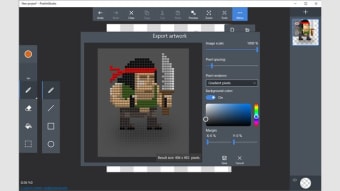
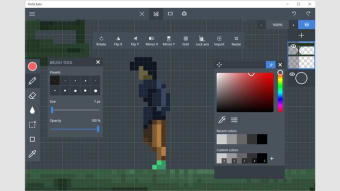
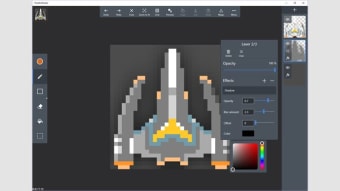
Pixel Art Studio Free is a desktop application for creating and editing pixel-based graphics. Users can draw images from scratch or modify existing artwork using a range of tools, including pencil, brush, line, rectangle, circle, and fill. The program supports layers, grid alignment, and color palettes to help artists maintain precision and consistency while working on complex projects.
Pixel Art Studio Free allows users to save artwork in multiple formats and export animations as GIFs. With zoom, pan, and undo features, the interface supports both beginners and professionals, providing a lightweight, flexible environment for casual or detailed pixel art creation.
Essential tools for pixel art creation
Pixel Art Studio Free offers customizable brushes, extensive color selection, and palette management, enabling precise pixel-level editing and creative control. Its layer system allows separation of elements for easier adjustments, while transparency options help create intricate designs. Users can also manage multiple canvases simultaneously, streamlining workflow and making it convenient to handle several projects at once without losing organization or detail.
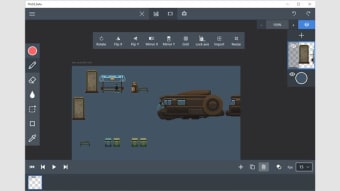
The software supports frame-by-frame animation, allowing users to create simple GIFs or short sequences. Export options enable images and animations to be saved in common formats for sharing or integration into games and projects. Combined with zoom, grid, and layer features, these tools improve precision, streamline workflow, and provide an efficient environment for both casual and professional pixel art creation.
While effective for creating pixel art, the software is limited to 2D graphics and does not include advanced image editing or vector capabilities. Users who require more comprehensive design tools, multimedia integration, or support for complex visual projects will need to use additional software. Despite these limitations, it remains a focused and efficient tool for producing detailed pixel-based artwork with precision and control.
Practical tool for pixel art creation
Pixel Art Studio Free provides a user-friendly and versatile solution for creating and editing pixel graphics. Its combination of drawing tools, customizable layers, and frame-by-frame animation capabilities makes it suitable for both beginners and experienced pixel artists. While limited to raster-based graphics, it offers an efficient, focused, and reliable environment for producing detailed, high-quality pixel art projects with precision and creative control.







.png)